Employee productivity is one of the most important factors behind business growth. Every organization wants its employees to work efficiently, complete tasks on time, and contribute to overall business goals. However, managing productivity has become more challenging with the increasing adoption of remote work, hybrid workplaces, and flexible working arrangements.
Business owners, HR managers, and team leaders often face questions such as: Are employees spending their working hours effectively? Are projects progressing as expected? Is the team maintaining a healthy balance between productive and non-productive activities?
This is where employee monitoring becomes relevant.
Employee monitoring has evolved significantly over the years. It is no longer just about tracking attendance or checking whether employees are sitting at their desks. Modern monitoring solutions help businesses understand working patterns, track time, identify productivity gaps, and gain better visibility into daily operations.
But the important question remains: Does employee monitoring really improve productivity, or does it simply create additional pressure on employees?
The answer depends on how businesses implement and use monitoring technology. When used responsibly, with transparency and clear objectives, employee monitoring can improve accountability, identify operational challenges, and support better workforce management.
Let's explore how it works and whether it genuinely makes a difference.
1. Understanding Employee Monitoring in Modern Workplaces
Employee monitoring refers to the process of observing, measuring, and analyzing employees' work-related activities during working hours. Its primary purpose is to help organizations understand how work is performed and identify opportunities to improve efficiency.
Traditional monitoring methods mainly focused on attendance registers, manual timesheets, and supervisor observations. However, these methods often required additional administrative effort and did not always provide accurate information about working hours.
Modern technology has introduced smarter ways to manage workforce activities.
Businesses can now use digital solutions to monitor:
Attendance and working hours: Track employee check-in, check-out, and total working hours.
Idle time: Understand periods of inactivity during scheduled working hours.
Application usage: Identify which applications employees use for their daily responsibilities.
Website activity: Understand work-related and non-work-related website usage.
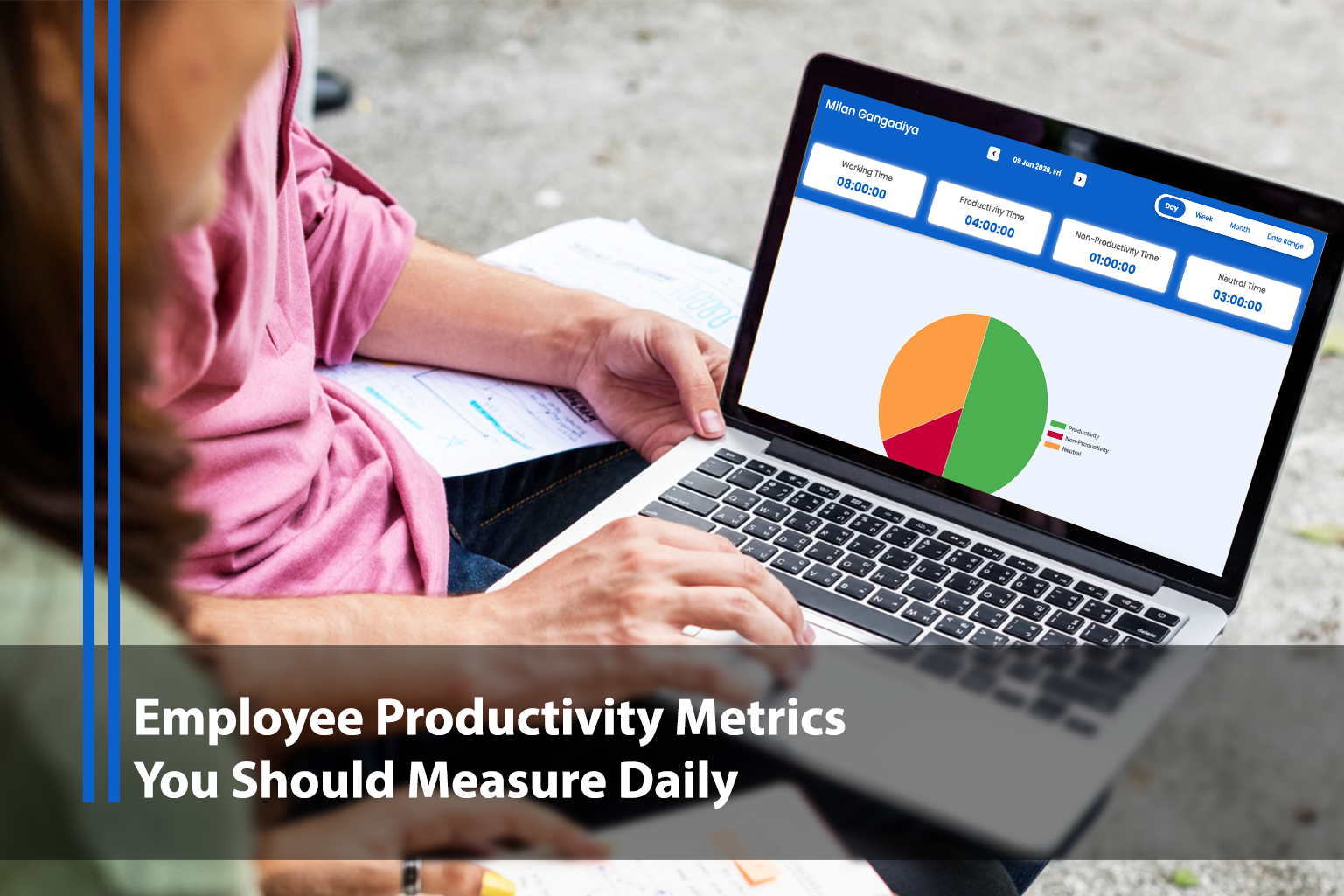
Productive and non-productive time: Categorize activities to understand working patterns.
Activity levels: Gain visibility into employee computer activity.
Work reports: Generate reports to review individual and team performance.
These insights help managers make informed decisions instead of depending entirely on assumptions or manual reporting.
However, monitoring should always be connected to legitimate business requirements rather than unnecessary surveillance.
2. How Employee Monitoring Can Improve Productivity
Employee monitoring can positively influence productivity in several ways. It provides businesses with information about how working hours are utilized and where improvements may be required.
Here are some important ways it can make a difference.
A. Better Time Management
Time management is essential for maintaining productivity. Employees often work on multiple responsibilities throughout the day, and without proper visibility, it can become difficult to understand how much time different activities require.
Time tracking helps organizations understand how working hours are distributed across tasks and activities.
For example, a software development team may spend several hours working on coding, testing, meetings, and project discussions. By analyzing time-related information, managers can identify where additional time is being spent and whether workloads need adjustment.
This information can also help employees improve their daily schedules and prioritize important responsibilities.
B. Identifying Productivity Gaps
Every workplace experiences productivity gaps. These may result from unnecessary meetings, frequent interruptions, excessive administrative work, or inefficient processes.
Without proper information, managers may find it difficult to identify the actual reasons behind these gaps.
Monitoring reports can highlight patterns such as:
Excessive idle periods.
Frequent switching between applications.
Unnecessary website usage.
Uneven distribution of working hours.
Activities that consume more time than expected.
These insights allow managers to investigate the underlying problems and introduce practical improvements.
The goal should not be to blame employees but to understand what prevents them from working efficiently.
C. Improved Employee Accountability
Accountability plays an important role in every organization.
When employees and managers have access to accurate attendance and work-hour information, it becomes easier to maintain transparency.
Employees can understand their working patterns, while managers can review attendance records and activity reports.
This reduces dependency on manual updates and creates a more structured working environment.
However, accountability should be supported by clear expectations and regular communication rather than excessive supervision.
D. Better Remote and Hybrid Team Management
Managing remote teams can be challenging because managers do not have direct visibility into everyday office activities.
In traditional workplaces, supervisors can communicate with employees directly and understand their availability. Remote working environments require different management practices.
Employee monitoring technology helps businesses maintain visibility into:
Employee attendance.
Working hours.
Application and website usage.
Activity patterns.
Daily work-related activities.
This information helps managers coordinate distributed teams more effectively.
It also allows businesses to focus on work outcomes instead of depending entirely on physical presence.
E. Reducing Manual Administrative Work
Manual attendance management and timesheet preparation can consume significant time for HR departments.
Collecting employee attendance details, calculating working hours, checking late arrivals, and preparing monthly reports can create unnecessary administrative pressure.
Automated monitoring solutions simplify these processes by maintaining digital records.
HR teams can use centralized reports to review attendance, working hours, and employee activity information.
This can reduce repetitive tasks, improve record accuracy, and allow HR professionals to focus on more important responsibilities.
3. Does Monitoring Increase Productivity or Create Pressure?
Although monitoring offers several benefits, it can also create challenges when implemented incorrectly.
One of the biggest concerns employees have is whether monitoring means their employer does not trust them.
Excessive monitoring can make employees feel uncomfortable, stressed, or constantly observed. Instead of improving performance, it may negatively affect motivation and workplace satisfaction.
For example, if managers judge employees only by keyboard activity, mouse movements, or the number of screenshots captured, they may misunderstand how actual work is performed.
Not every productive activity involves continuous computer interaction. Employees may spend time thinking, planning, reading documents, attending meetings, or solving complex problems.
Therefore, monitoring data should never become the only measure of employee performance.
Businesses should consider the following principles:
Monitor work-related activities rather than personal behavior.
Explain monitoring policies clearly to employees.
Use monitoring data to identify improvement opportunities.
Avoid unnecessary surveillance.
Consider the quality and outcomes of completed work.
Respect employee privacy and applicable data protection requirements.
The best monitoring approach creates transparency without making employees feel pressured.
4. Employee Monitoring vs. Traditional Performance Management
Traditional performance management generally depends on manager observations, employee updates, attendance records, and periodic performance reviews.
Although these methods remain useful, they may not provide continuous visibility into daily working patterns.
Modern monitoring technology adds another layer of information.
Traditional performance management:
Depends heavily on manual reports.
Often reviews performance periodically.
May require managers to collect information from multiple sources.
Provides limited visibility into daily activity patterns.
Can involve time-consuming attendance calculations.
Technology-supported workforce management:
Maintains digital working-hour records.
Provides access to activity and attendance reports.
Helps identify productivity trends.
Reduces repetitive administrative tasks.
Supports better-informed management decisions.
These approaches should work together rather than replace one another.
Managers still need communication, feedback, goal setting, and performance evaluations to understand employee contributions properly.
Technology provides supporting information, while human judgment helps interpret it.
5. Important Features That Make Employee Monitoring Effective
Not all monitoring tools provide the same capabilities. Businesses should choose solutions based on their workforce requirements, company size, and management objectives.
Some important features include:
Automatic Time Tracking
Automatic time tracking records working hours without requiring employees to maintain manual timesheets throughout the day.
It helps businesses understand actual time utilization and maintain more accurate working-hour records.
Idle Time Tracking
Idle time tracking identifies periods when there is little or no computer activity.
Managers can use this information to understand working patterns, but should consider the nature of each employee's role before drawing conclusions.
Application and Website Tracking
Employees use different applications and websites depending on their responsibilities.
Application and website tracking helps organizations understand whether employees are using relevant work tools and identify activities that may be affecting productivity.
Productive and Non-Productive Time Classification
This feature helps businesses categorize application and website usage based on organizational requirements.
For example, a graphic designer may require design software, while a software developer may regularly use coding platforms and testing tools.
Correct categorization provides more meaningful insights into work-related activities.
Screenshot Monitoring
Periodic screenshots can provide additional context about computer activity during working hours.
However, screenshot frequency and access should follow transparent company policies and appropriate privacy safeguards.
Centralized Dashboard and Reports
A centralized dashboard makes it easier for managers and HR teams to review attendance, working hours, and activity information in one place.
Reports also help businesses identify trends and make better operational decisions.
6. How to Implement Employee Monitoring Without Affecting Employee Trust
Successful employee monitoring requires more than installing software. Businesses must establish clear policies and communicate the purpose of monitoring to their employees.
Here are some practical steps.
Step 1: Define Clear Objectives
Before implementing monitoring, identify what the organization wants to improve.
It could be attendance management, working-hour accuracy, remote team visibility, or productivity analysis.
Having clear objectives prevents unnecessary monitoring.
Step 2: Communicate with Employees
Employees should understand what information is collected, why it is collected, and how it will be used.
Open communication helps reduce misunderstandings and creates a more transparent workplace.
Step 3: Choose Relevant Monitoring Features
Select features according to actual business requirements.
For example, a remote IT company may need application tracking and automatic time records, while another organization may primarily require attendance reports.
Step 4: Establish Privacy Guidelines
Create clear policies explaining monitoring boundaries, data access, retention, and authorized users.
Businesses should follow applicable employment, privacy, and data protection requirements.
Step 5: Focus on Improvement Rather Than Punishment
Monitoring reports should help identify problems and improve processes.
If an employee has high idle time, managers should first understand the reason instead of immediately assuming poor performance.
Step 6: Review Results Regularly
Analyze reports over time to understand whether monitoring is helping the organization achieve its objectives.
Use these findings to improve workflows, distribute workloads, and support employees.
7. Industries That Can Benefit from Employee Monitoring
Employee monitoring can support organizations across different industries, particularly those with computer-based responsibilities and distributed teams.
IT and Software Development Companies
Software development teams work with multiple applications, coding tools, project platforms, and testing environments. Monitoring can help managers understand working-hour utilization and application usage.
Digital Marketing Agencies
Digital marketing professionals work with advertising platforms, analytics tools, content management systems, and communication applications. Activity insights can help agencies understand how working time is distributed.
Creative and Design Agencies
Graphic designers, video editors, and creative professionals use specialized software throughout the day. Monitoring can help understand application usage and working patterns without replacing creative quality assessments.
Remote and Hybrid Businesses
Organizations with employees working from different locations can benefit from digital attendance records, time tracking, and centralized workforce visibility.
Consulting and Professional Services
Consultants often manage multiple clients and projects simultaneously. Accurate working-hour records and activity insights can support better time allocation and project administration. Businesses looking for specialized time management solutions can explore Time Tracking for Consultants.
8. Common Mistakes Businesses Should Avoid
Even the right monitoring technology can produce poor results when used incorrectly.
Some common mistakes include:
Monitoring Without a Clear Purpose: Installing software without defining business objectives can create unnecessary complexity.
Focusing Only on Activity Levels: High computer activity does not always mean high productivity. Work quality, problem-solving, and completed tasks are equally important.
Ignoring Employee Feedback: Employees should have an opportunity to discuss monitoring policies and share concerns.
Using Reports to Punish Employees: Monitoring should support better management decisions, not create a culture of fear.
Ignoring Privacy: Organizations must ensure that monitoring practices are proportionate, transparent, and aligned with applicable laws.
Avoiding these mistakes helps businesses build a healthier and more productive workplace.
9. The Future of Employee Monitoring
The future of employee monitoring is moving beyond basic attendance tracking and computer activity records.
Businesses increasingly need intelligent workforce management solutions that provide meaningful insights while respecting employee privacy.
Several developments are shaping this evolution.
AI-Powered Productivity Insights
Artificial intelligence can help identify patterns in working-hour data, application usage, and team activity. These insights may help managers recognize productivity challenges and improve operational planning.
More Focus on Employee Experience
Future monitoring solutions are likely to place greater importance on employee transparency, privacy controls, and responsible data usage.
Smarter Workforce Analytics
Businesses will increasingly use centralized dashboards and reports to understand workforce trends, attendance patterns, and resource utilization.
Remote Workforce Visibility
As remote and hybrid work arrangements continue to evolve, organizations will need better ways to coordinate distributed teams and maintain operational visibility.
Integration with Business Tools
Workforce monitoring solutions are expected to become more connected with other business systems, helping organizations simplify daily operations and reduce manual administrative work.
Ultimately, the future is not about monitoring every employee movement. It is about using relevant information to build efficient, transparent, and employee-friendly workplaces.
10. How Team Treck Helps Businesses Improve Workforce Productivity
Managing employee attendance and understanding daily work patterns can become complicated as organizations grow.
Team Treck helps businesses simplify workforce monitoring through features designed to provide better visibility into employee working hours and computer activity.
With Team Treck, organizations can access:
Automatic Time Tracking: Understand employee working hours through automated tracking.
Idle Time Tracking: Identify periods of computer inactivity.
Application Tracking: Understand which applications employees use.
Website Tracking: Review website usage during working hours.
Productive and Non-Productive Time: Categorize activity based on business requirements.
Activity Level Monitoring: Gain visibility into computer activity patterns.
Periodic Screenshots: Capture up to 12 screenshots per hour for additional activity context.
Attendance Reports: Review employee attendance and working-hour information.
Centralized Dashboard: Access important workforce information in one place.
Monthly Reports: Simplify attendance and salary-related reporting.
These features help business owners, HR managers, and team leaders make informed decisions about workforce management.
Instead of depending entirely on manual attendance records and assumptions, organizations can use structured information to understand working patterns and identify areas for improvement.
Team Treck is designed to support businesses that want better attendance management, time tracking, and workforce visibility.
Businesses can also explore Employee Monitoring Software to understand how digital monitoring solutions can support their workforce management requirements.
Conclusion: Does Employee Monitoring Really Improve Productivity?
Yes, employee monitoring can improve productivity, but its effectiveness depends on how it is implemented.
When organizations use monitoring technology responsibly, they can gain better visibility into working hours, identify productivity gaps, simplify attendance management, and improve workforce planning.
However, monitoring alone cannot make employees productive.
A successful workplace also requires clear communication, realistic expectations, proper workload distribution, employee motivation, and trust between management and employees.
Businesses should remember that productivity is not measured only by the number of hours an employee spends in front of a computer. The quality of work, completed responsibilities, creativity, and overall contribution are equally important.
The right approach is to use monitoring as a tool for understanding and improvement rather than controlling employees.